

Purpose
A smart collection stores a rule; membership updates as data changes. Typical daily entries include Untagged, Using, low maintenance, and Stars not in the knowledge base.Free: 4 custom collections. Pro: unlimited. Built-in system collections usually do not count against the cap.
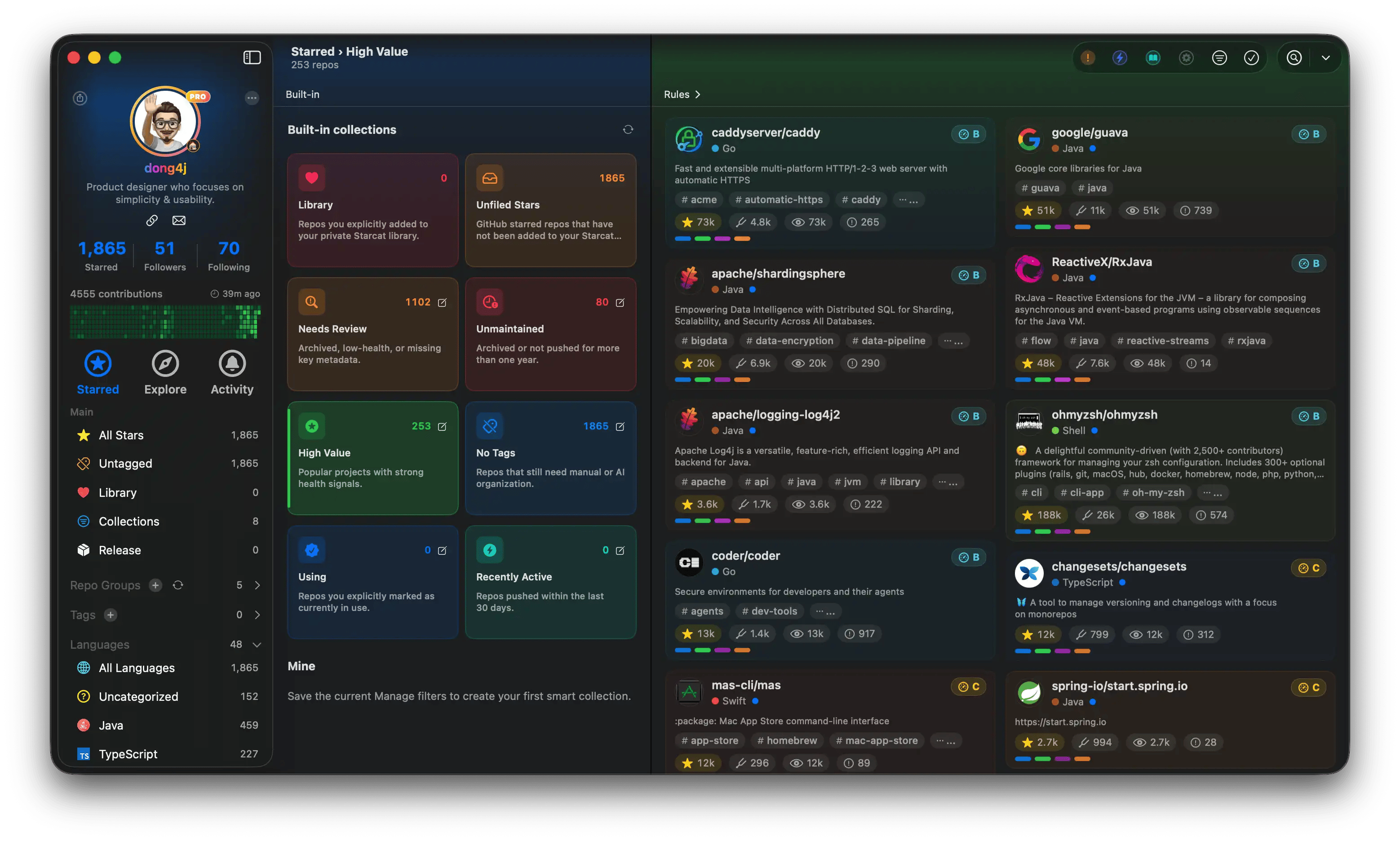
Smart collections
images/screenshots/smart-collections.webp (sidebar collections + rule editor).
How to use them
Sidebar Manage → Smart Collections: overview of system + custom; open a name for the matching list; gear edits rules. System names follow the app. Typical views: in library / not ingested, needs review, low maintenance, untagged, using, recently active. Use them as a triage start, then batch.Custom collections
- Tap ”+”
- Add conditions: language, tags, status, Stars, updated time, ingest, and similar; AND / OR
- Name and save; it appears in the sidebar