

Purpose
Generate a structured summary of the current repository. Section headings follow your prompt (background, features, fit, caveats, and similar).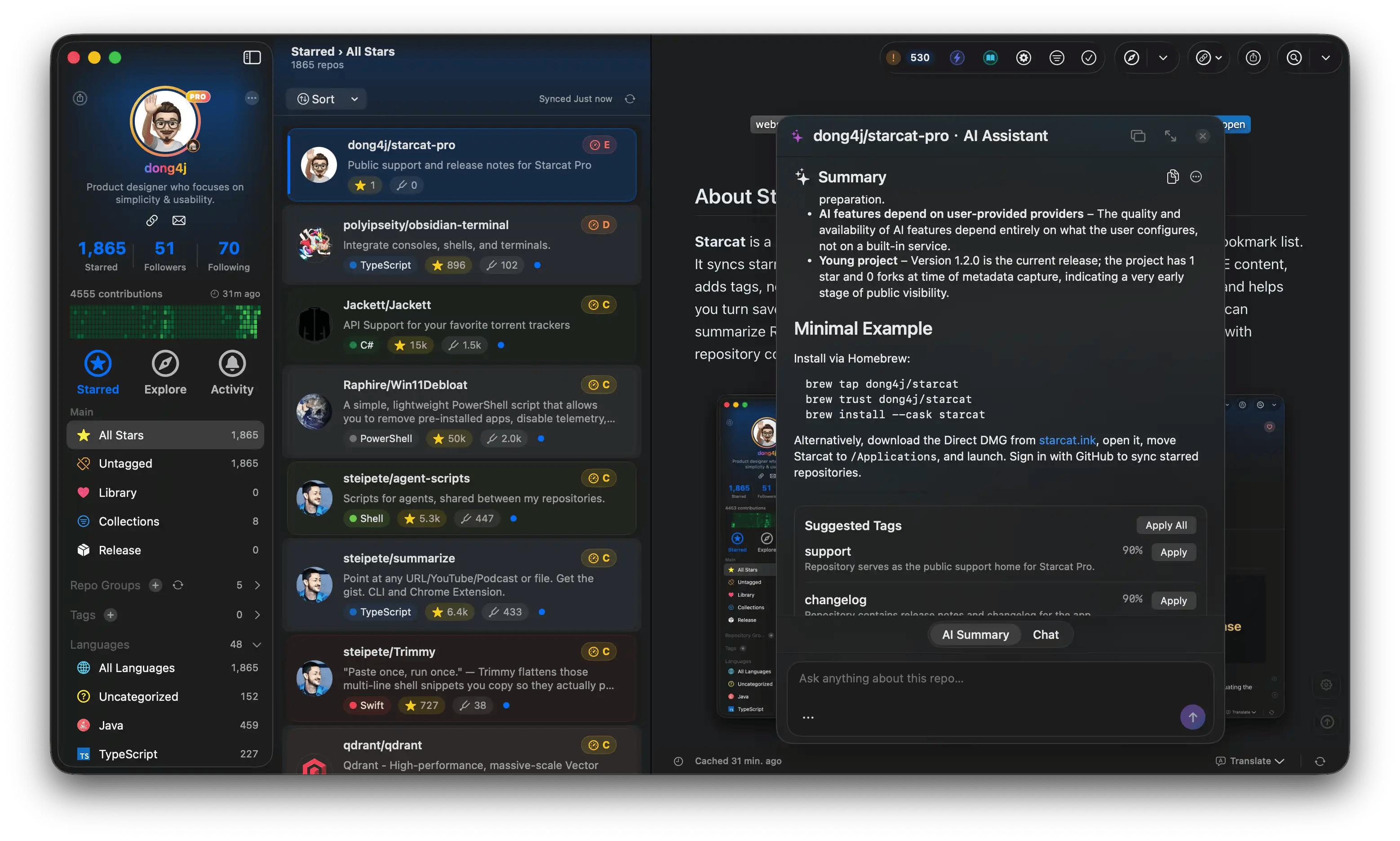
AI summary
How to open it
- Detail AI overlay → Summary (⇧⌘A)
- Auto Tidy for batch generation
Cache
Summaries are cached locally so you do not burn tokens twice. Clear them in Settings → Storage. See Storage. Regenerating calls the model again; cost follows your provider.Notes
- Does not replace reading the license, security advisories, or the latest Release
- Very short or image-only READMEs produce weak summaries
- Auto Tidy batch generation can spike the bill; confirm quality on one repo first