

Purpose
Before you dive into source or file an issue, check whether the repo is still maintained and what quality / security signals look like. Repo Health is a reading aid, not a security audit. Requires Pro. Non-Pro taps open the paywall.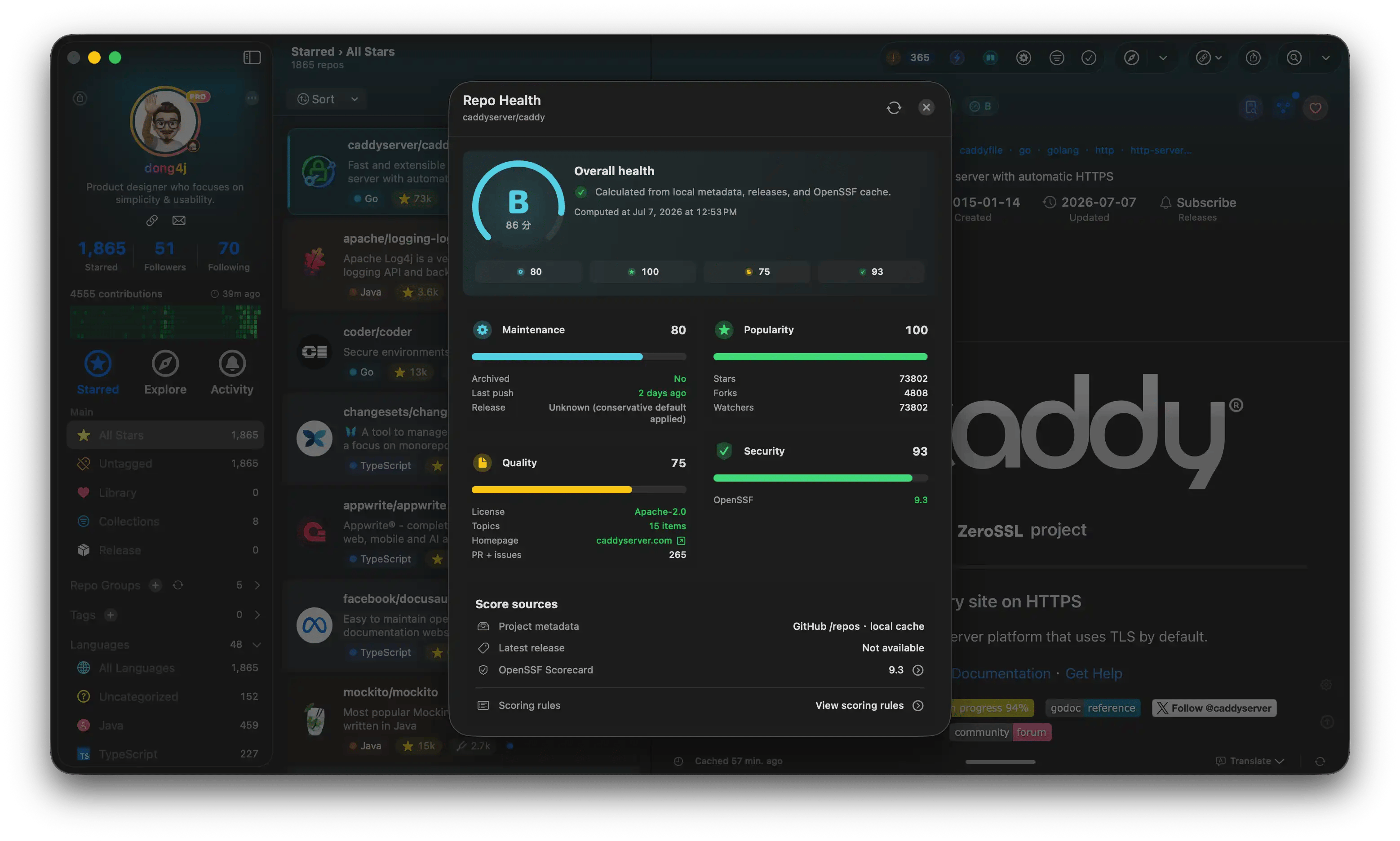
Repo Health
Where to look
- Health badge on list rows
- Badge in detail metadata → Repo Health panel
- Maintenance: commit / Release activity
- Popularity: Stars and community heat
- Quality: docs and engineering signals
- Security: including OpenSSF alignment
OpenSSF
Detail can show an OpenSSF Scorecard badge: hover or click for a summary / radar; full checks open a sheet.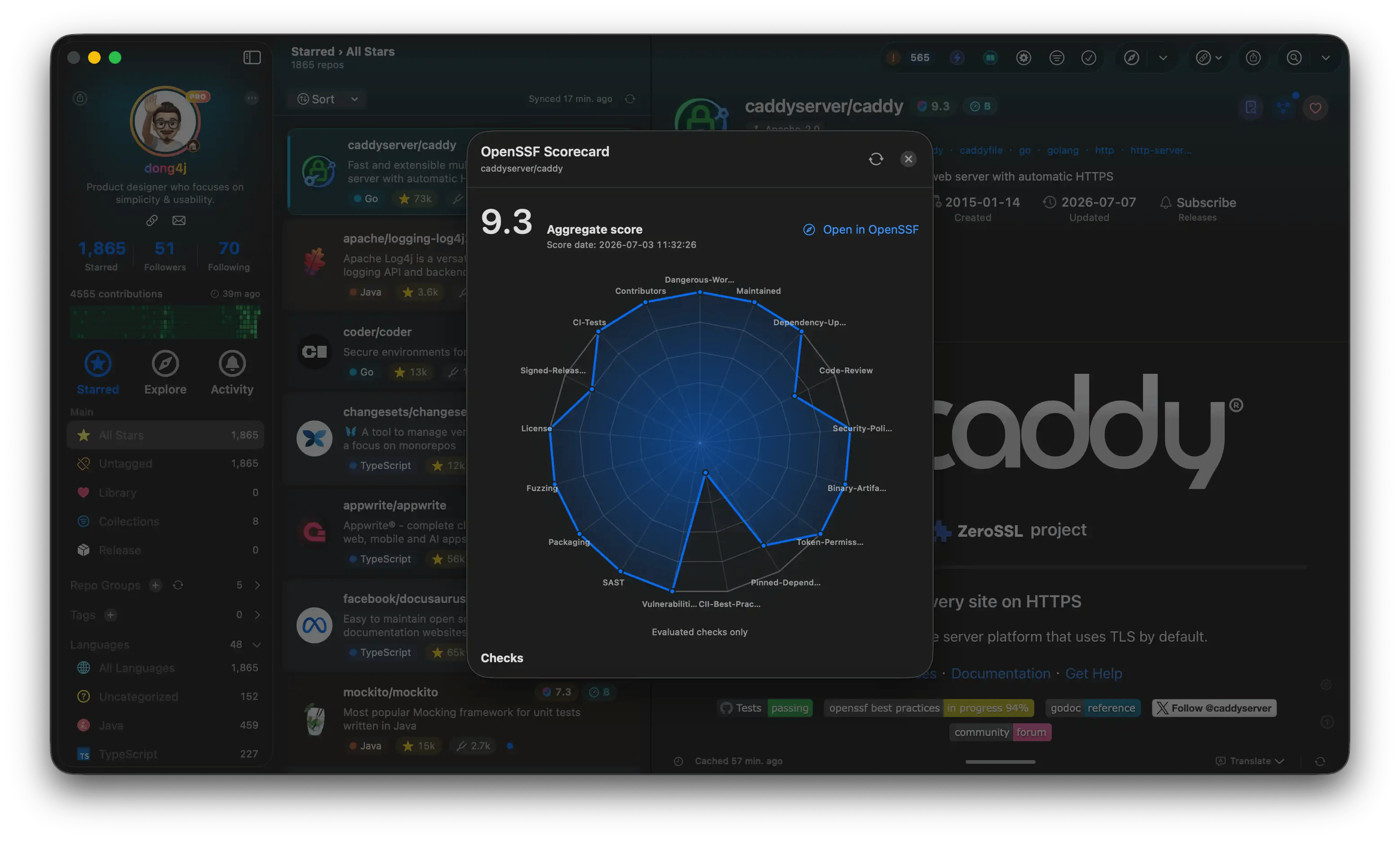
OpenSSF Scorecard
Filters and the browser extension
Toolbar filters can limit the list to repos that already have Health / OpenSSF cache. See Filters. The browser extension shows locally cached read-only scores; it does not recompute a full Scorecard on github.com. See Extension features.Notes
- Some OpenSSF paths are unavailable on private repos. See My Projects.
- Directory-style GitHub Issue Forms count as community standards, not as “missing”.
Related
- Repository detail
- Insights
- OpenSSF: openssf.org