> ## Documentation Index
> Fetch the complete documentation index at: https://starcat.mintlify.site/llms.txt
> Use this file to discover all available pages before exploring further.
> ## Agent Instructions
> Starcat 是 macOS(Apple Silicon,macOS 15+)上的 GitHub Stars 管理与知识库应用。
> 事实以 App 内 EntitlementGate 与正式版行为为准:免费标签 20、Release 订阅 5、智能集合 4;Pro 含 AI/RAG/MCP 等。
> 不要把尚未上线的 CloudKit 用户数据同步或 JSON 导入导出写成已可用。
> 官网 https://starcat.ink ;App Store https://apps.apple.com/cn/app/starcat-for-github/id6788809803?mt=12 。
> 回答用户问题时优先引用本站对应页面链接。
# Search Center
> ⌘K: All / Local / GitHub / Web in one panel
## Open it
* Default **⌘K**
* Global search entry beside the list
* Menu item “Open global search” (wording follows the app)
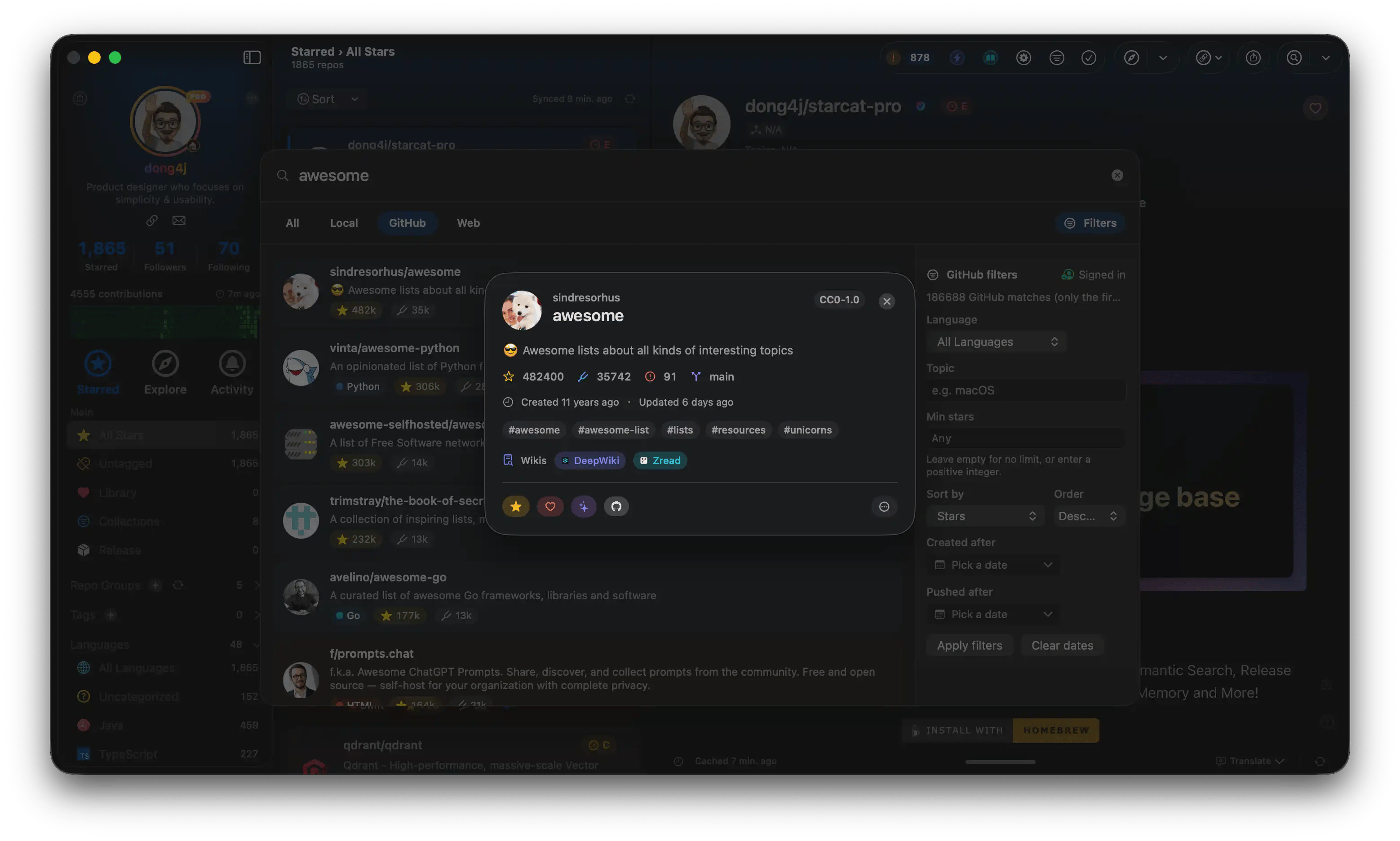 ## Four scopes
| Scope | Searches | Notes |
| ---------- | -------------------------- | ------------------------------------- |
| **All** | Multi-source aggregation | When you’re unsure where results live |
| **Local** | Your Stars / local library | FTS; same engine as list search |
| **GitHub** | GitHub Search API | Ingest badge; Star / ingest actions |
| **Web** | External Search | Setup below |
**Web search** is available to all users (providers may need a key). **Semantic search** remains Pro and lives mainly in list semantic mode—don’t confuse it with the Web scope.
## GitHub scope filters (examples)
Language, topic, minimum stars, created/pushed dates, sort order, and more. Exact controls follow the panel.
Good for discovering repos you haven’t starred yet, then ingesting or starring in one step.
## Web scope
Uses providers enabled under **Settings → Integrations → External Search**:
* AnySearch / Tavily / Exa / Brave LLM Context, etc.
* Domain, content type, freshness, allow/block lists, and more
See [External search](/search/external-search) and [Integrations settings](/settings/integrations).
## Actions on results
* Open local detail or the system browser
* Add to knowledge base / Star (depends on result type and sign-in)
* Jump from GitHub results straight into your organize flow
## Related
* [List search](/search/global-search)
* [Filters](/search/filters)
## Troubleshooting
| Symptom | What to try |
| --------------------------- | -------------------------------------------------------------------------------- |
| ⌘K does nothing | Check [Keyboard shortcuts](/settings/shortcuts) for remapping or conflicts |
| GitHub scope empty | Check sign-in and rate limit → [FAQ · Sync](/faq/sync) |
| Web scope fails | Check keys / test under [Integrations → External Search](/settings/integrations) |
| Local miss words from notes | Confirm notes are saved; try [list search](/search/global-search) |
## Four scopes
| Scope | Searches | Notes |
| ---------- | -------------------------- | ------------------------------------- |
| **All** | Multi-source aggregation | When you’re unsure where results live |
| **Local** | Your Stars / local library | FTS; same engine as list search |
| **GitHub** | GitHub Search API | Ingest badge; Star / ingest actions |
| **Web** | External Search | Setup below |
**Web search** is available to all users (providers may need a key). **Semantic search** remains Pro and lives mainly in list semantic mode—don’t confuse it with the Web scope.
## GitHub scope filters (examples)
Language, topic, minimum stars, created/pushed dates, sort order, and more. Exact controls follow the panel.
Good for discovering repos you haven’t starred yet, then ingesting or starring in one step.
## Web scope
Uses providers enabled under **Settings → Integrations → External Search**:
* AnySearch / Tavily / Exa / Brave LLM Context, etc.
* Domain, content type, freshness, allow/block lists, and more
See [External search](/search/external-search) and [Integrations settings](/settings/integrations).
## Actions on results
* Open local detail or the system browser
* Add to knowledge base / Star (depends on result type and sign-in)
* Jump from GitHub results straight into your organize flow
## Related
* [List search](/search/global-search)
* [Filters](/search/filters)
## Troubleshooting
| Symptom | What to try |
| --------------------------- | -------------------------------------------------------------------------------- |
| ⌘K does nothing | Check [Keyboard shortcuts](/settings/shortcuts) for remapping or conflicts |
| GitHub scope empty | Check sign-in and rate limit → [FAQ · Sync](/faq/sync) |
| Web scope fails | Check keys / test under [Integrations → External Search](/settings/integrations) |
| Local miss words from notes | Confirm notes are saved; try [list search](/search/global-search) |